

If every new government form means another Power App, something's gone sideways

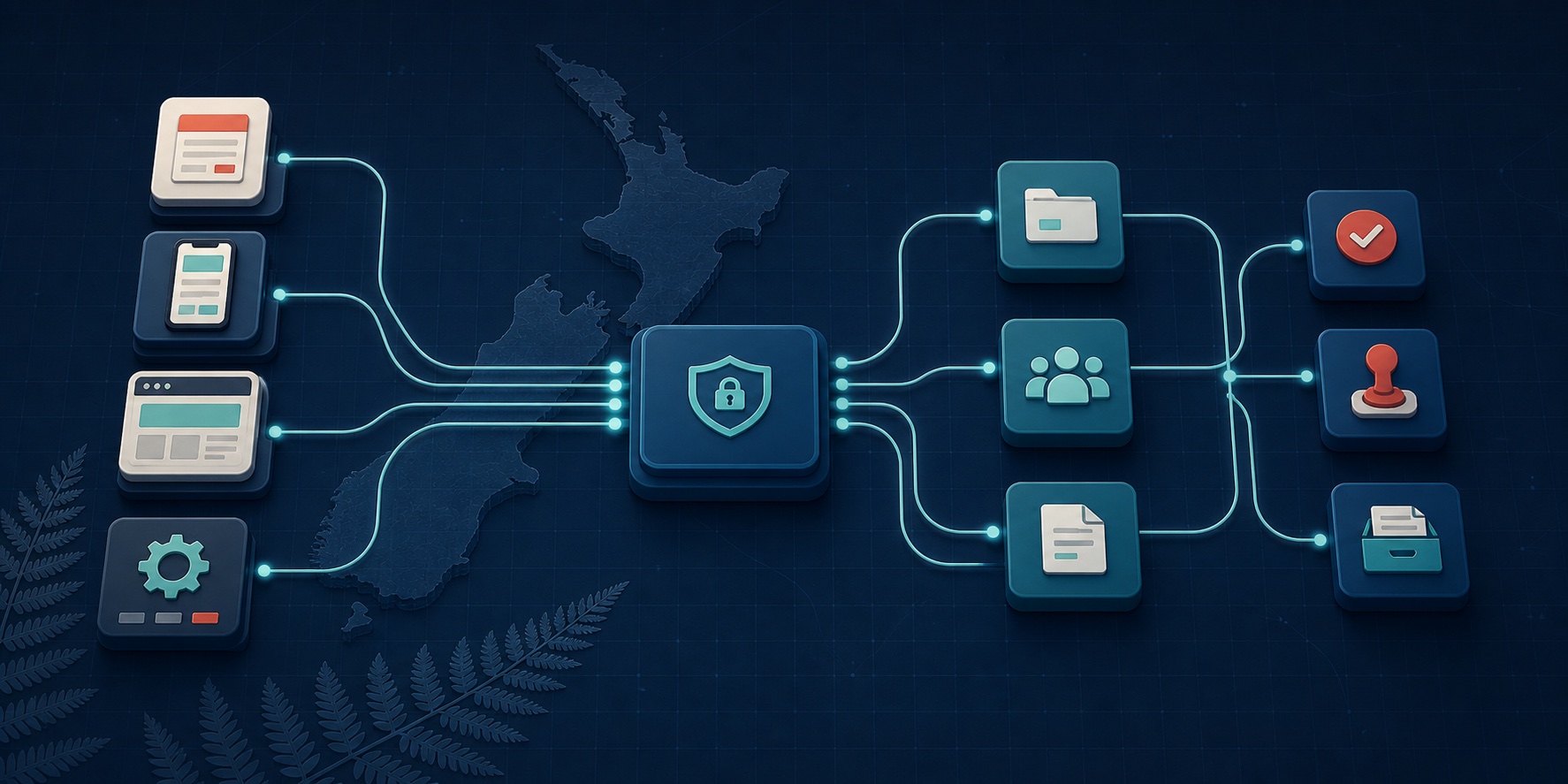
I keep seeing Power Platform implementations where every new service gets its own Power App. New form? New app. Different approval path? New app. Payment required? Another app and another set of flows.
I can understand how it happens. If a team has been asked to stand up one service, building one app can be the quickest way to get it live. The problem appears later, when the organisation has 20, 30 or 50 of them and they all need to be secured, tested, released and maintained.
At that point a policy change is no longer one change. Payment logic has been copied, approvals work slightly differently and no one is quite sure which version of a flow is the right one. If a new form automatically means a new Power App, I would stop and have another look at the architecture.
Key takeaways
Keep the customer channel independent. Government forms, portals, APIs and AI interfaces should connect through a stable submission layer rather than being tied to one back-office platform.
Reuse the back office. A shared case model, configurable router and reusable approval patterns can support many services without building a separate application for each one.
Delivery should get faster with every service. The first service may take a month or two while the shared patterns are established. After that, delivery time should show a clear trend towards days—and, for simpler services, hours—while retaining security, privacy, accessibility, audit and operational controls. If it does not, something is likely wrong with the architecture, the level of reuse or the delivery model.
Red flags
None of these points proves on its own that the architecture is wrong. If several of them are present, however, I would take a closer look at whether the platform is actually providing reusable capability.
- Every new form takes months to launch. A straightforward online form or back-office workflow still requires a long design, build and release cycle, even when the organisation has delivered similar services before.
- Every service needs its own back end. A completely separate application, often another Power App with its own flows and integrations, is treated as a requirement for each new online service.
- Cost increases with every service. The organisation is already paying for an enterprise platform, but implementation, licensing and support costs continue to rise almost linearly as services are added. Very little is being reused.
- Customers are tied to one portal. Services can only be delivered through a particular vendor portal or webpage because the customer interface has been coupled directly to the back-office platform.
- Delivery is slow and there is no credible plan. The vendor cannot provide dependable milestones, explain the blockers or give a solid indication of when the service will be ready.
- Time and materials replaces a defined outcome. The vendor moves to an open-ended T&M model because it cannot clearly articulate the scope of work, deliverables, assumptions and acceptance criteria required to launch one service.
T&M is not a red flag by itself. It makes sense for discovery and genuinely uncertain work. The concern is when it becomes a substitute for being able to define and estimate a service that should now follow an established delivery pattern.
Different forms may be legitimate. Different approval paths may be legitimate. Separate Power Apps are not a necessary consequence of either.
If the next service workshop starts with “Which app should we copy?”, I would pause there. There is almost certainly a tidier and cheaper way to build it.
What good architecture looks like
Good architecture keeps the customer channel separate from fulfilment, puts service-specific rules into configuration and reuses the same routing, approval, document and notification capabilities. The platform should not need to be rebuilt every time a new government form goes live.
Routing: the back end is not duplicated for each service
A form submission creates a case in Dataverse. A process router reads the submission type and its configuration, then starts the Business Process Flow that matches the service. The selected process can call the same payment, approval, document and notification services used by every other submission type.
At the end, every path comes back together. The platform can create an approval record or final document, notify the applicant and close the case without each service needing its own application.

Best practice: configure the service, do not clone the app
I would start with one model-driven app for the people processing the work. Every application, request or case would sit in Dataverse using the same core record.
I would then create a Submission Type configuration table. That table could hold the payment requirement, fee, owning team, process pattern, approver people or groups, decision rule, SLA and document template for each service. When a submission arrives, its type tells the platform what should happen next.
This is the key difference. The app is not the business process. The app is the place staff manage the work. The process is selected from configuration and carried out by reusable platform services.
Adding service number 51 should mostly mean adding its configuration, connecting the front-end form and testing the path. It should not mean cloning another application.
Building reusable back-end process flows for common approval scenarios
Most services do not have a unique approval process. They use a small set of common patterns that can be configured for different people, roles, teams and approver groups.
Business Process Flow is not the workflow engine
I would use Business Process Flows to show staff where a case is up to, what information is required and what they need to do next.
I would use Power Automate for the work happening behind the screen: validating the submission, checking payment, creating approvals, routing the case, sending notifications and generating the final document. Common tasks should sit in reusable child flows rather than being copied into every service.
An approver does not have to be one named person. It could be a role, team or approver group selected from configuration. The decision rule should also be explicit: any one member can approve, every member must approve, a quorum is required, or one group must approve before the next group receives it. I would keep those rules in configuration instead of hard-coding them into separate flows.
I also would not assume that 50 services need 50 Business Process Flows. Once the services are mapped out, there are normally a much smaller number of process shapes.
For example, an organisation might only need five: a single approver or group, two approvers or groups in sequence, approvers or groups in parallel, straight through, and no approver. Straight through is fully automated. No approver still allows staff to assess or process the case, but it does not require a formal approval decision.

Separate the front end from back-office fulfilment
For a government enterprise service, I would not let the public portal define the back-office process or write directly into internal case tables. I would put a submission and integration layer between them.
That layer gives every channel the same versioned submission contract. It is where identity and authorisation, validation, file security, schema mapping, correlation IDs, audit, idempotency, rate limits, queues, retries and operational monitoring can be handled consistently.
The front end still needs to be designed as a proper government service. That means accessible forms, plain language, responsive layouts, save-and-return where required, clear privacy and consent, secure identity, payment handling and useful status updates. Those customer-facing concerns should not be mixed into the case-processing application.
Front-end submission and portal options
The customer-facing service could use Silverstripe or FormBuilder.govt.nz; a platform portal such as Power Pages, Appian, Salesforce Experience Cloud or Pega; or a custom React, Angular or ASP.NET application. System-to-system submissions could arrive through an API, while an MCP server could provide a controlled interface for approved AI clients.
Back-office fulfilment options
Back-office fulfilment could sit in Power Apps and Dynamics 365, Appian, Pega, Salesforce, ServiceNow or FormBuilder.govt.nz Case Management. The right choice depends on the agency, but the customer channel should not be locked to it.

A good architecture allows an agency to transact wherever its customer already is. A person might use a government website, a specialist portal, an assisted channel, an API or an approved AI interface. They should not be forced onto a particular portal simply because the back office happens to use that vendor.
The back-office team also gains freedom. A service can move from one fulfilment platform to another without replacing every customer-facing form, provided the submission contract remains stable.
Enterprise-grade does not have to mean slow
The point of these shared layers is not to add another large programme of work. It is to do the hard architecture once and reuse it.
Once the submission contract, security controls, process router, approval patterns and outcome services are in place, a new service can be launched in a matter of days. The delivery team configures the service, maps the channel payload, selects the process, assigns the approver people or groups, chooses the document template, tests it and publishes.
That speed comes from pre-agreed enterprise patterns, not from skipping security, privacy, accessibility or operational support.
Need a second opinion?
Transition Digital offers independent architectural reviews at any point in the delivery process. You might still be assessing an RFP and want a clear-eyed review of the vendors’ proposed designs. The project or programme might have gone off the rails and need a practical recovery assessment. Or you may want assurance that what a vendor or in-house team has already built will be secure, supportable and fit for the next wave of services.
We look past the platform diagrams and test how the design will work in practice: what is reusable, what is unnecessarily coupled, where cost and delivery risk are hiding, and what should happen next. The result is a straightforward assessment and a prioritised path forward—not another lengthy strategy document.
If that would be useful, have a chat with Transition Digital.
Microsoft Learn provides further detail on model-driven app data design, Business Process Flows, and Dynamics 365 case management.